- Mar 25
What I'm learning from putting my calendar on my Remarkable tablet?
- Daniele Catalanotto
- Remarkable
Published in the Backstage Blog
I've been playing with the idea of putting my calendar on my Remarkable tablet. I'm clearly not convinced yet, but still testing it out showed me a few things that are interesting
You can't replicate your calendar
On my Mac my calendar has everything in it. I see the school schedule of my son, the times I've blocked for specific projects, the calendar from the University, everything. It's great because when I schedule something I see what is happening at that moment not just for me but for my son too and for my students.
I tried to replicate that on the Remarkable and you just can't. On the Remarkable tablet you just have one color, so it all looks the same and too dense.
A calmer calendar
But, when you start accepting you can't replicate your calendar 1 to 1 you start to get a new approach for your calendar. I've tried the yearly calendar template made by Remarkable. The week view has no times. Just sections for days and a few lines for each day.
This forces you to not put everything in there but only what is really important. The school time of my son that I know by heart? No need to have it there, because other wise there would be no space for other stuff.
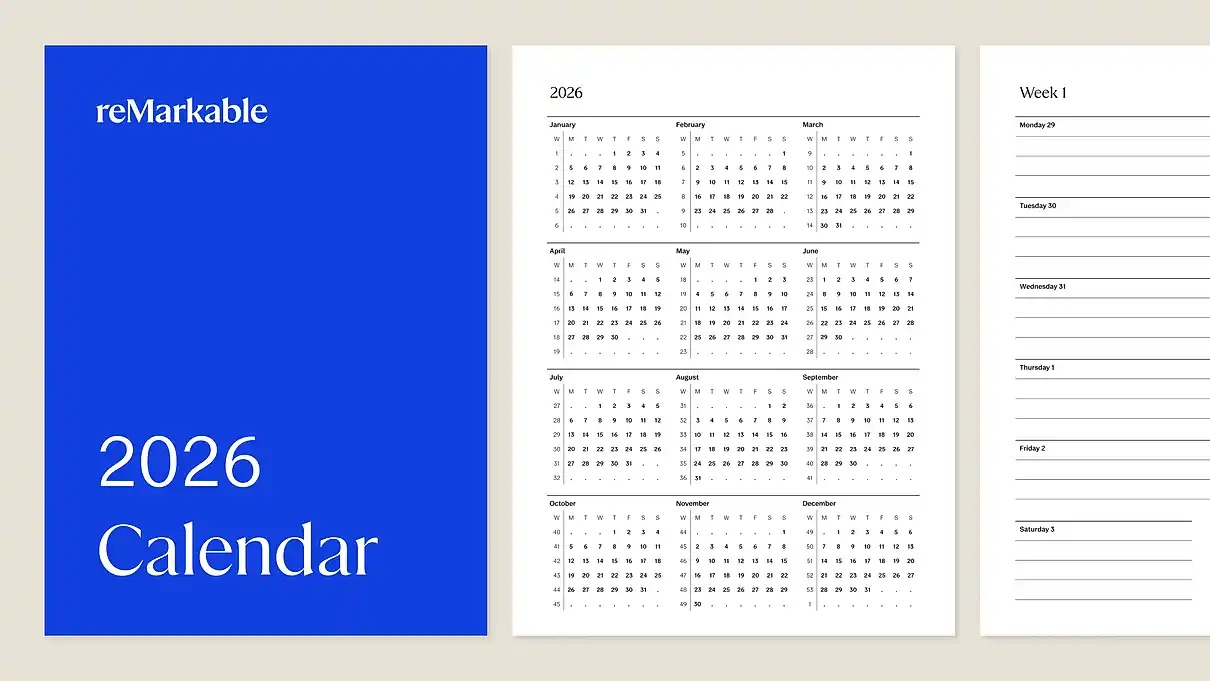
The effect is that my calendar suddenly goes from an overwhelming amount of information that tells me: you are super busy, to a calendar that tells me that I have a calm life. And yet because there is so little space I don't want to add stuff to it. The experiment for now I'm not ditching my calendar on my Mac as the main calendar. But I'm slowly trying out where such a "hand made" calendar could be better. So for now I'm trying it out for the next two active weeks, to see what happens.
My intuition is that for the active week it can be something strong. As part of the weekly review I have, I could put the next active week, and only the main information to the tablet. The benefit, is that when I plan my day I don't have to open my mac to see the meetings of the day.
The thing I'm curious to see is it having my calendar (or at least a part of it) on the tablet is a pain in the ass for when I'm in project management mode.
It was the case for the tracking and managing of guests for courses, webinars and conferences.
Let 'see how that goes
Backstage of this article
This article was illustrated and written by hand on a refurbished Remarkable II tablet. you can download the original note below if you are curious.
Newsletter
Weekly Service Design Digest
Meet the creator
I worked with clients from all over the world to help them find innovative solutions to their problem. I've been blessed to be able to learn a lot.
Today I want to share these learnings back with the community. That's why I've built the Swiss Innovation Academy.