How I use audio notes to write when I'm not motivated

How I use audio notes to write when I'm not motivated

Illustration of a person next to a smartphone recording audio

In this article, I'm sharing the tools and workflow I use to go from audio notes to a published text.

I'm always trying new ways to create content and try to find ways that are more effortless. In that journey of explorations I'm trying to work more with audio notes.

Here is what the process looks like as of today:

Record a voice note with the "Just Press Record" app
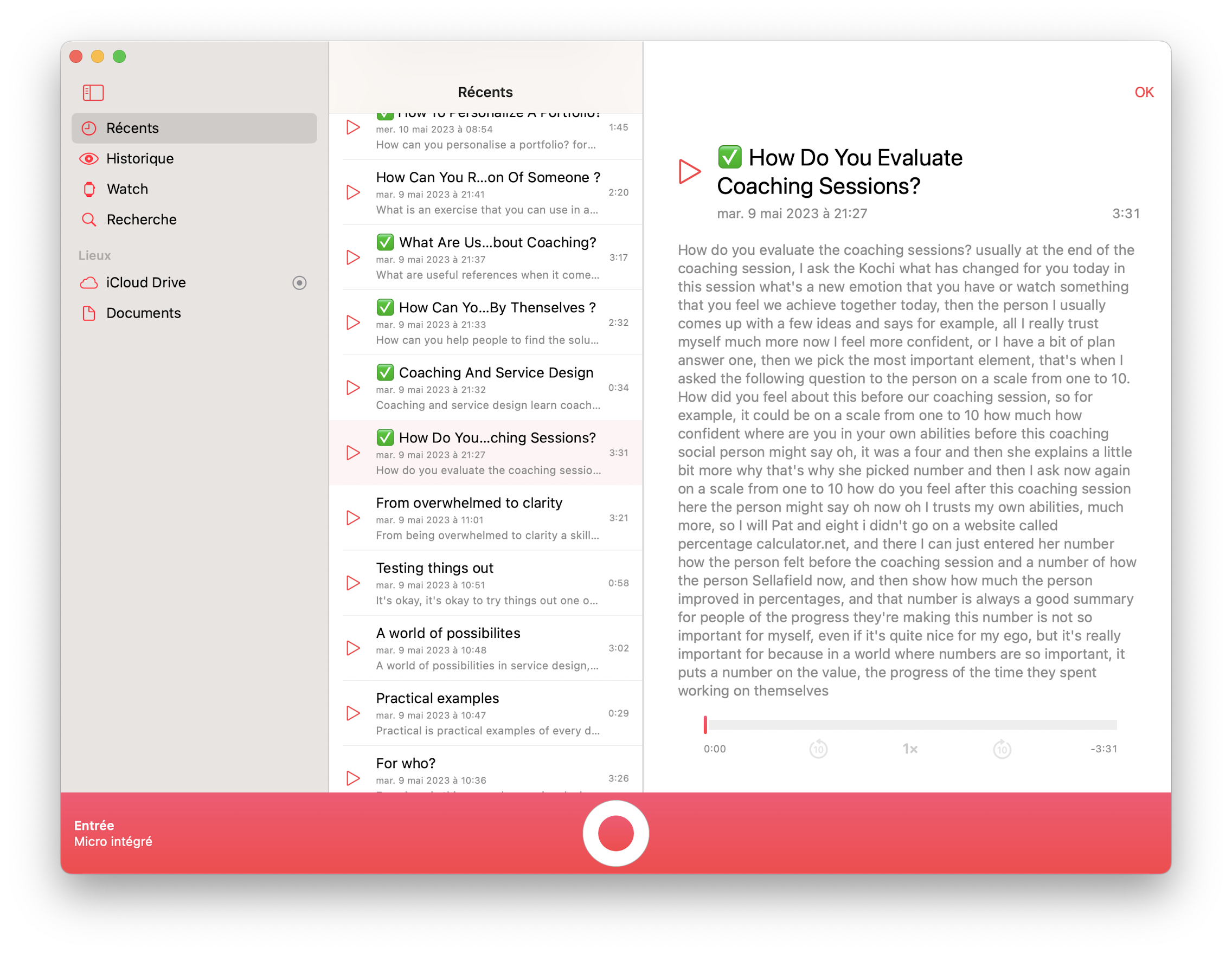
Screenshot of the Just Press Record app on mac os

There are plenty of really good apps that let you record an audio note and then transcribe it into a text. Otter.ai is maybe one of the most well-known. But many of these apps have one issue: they require a monthly subscription. Like many of us, I already have enough subscriptions in my toolbox, so I've looked for a tool that has a one-time payment.

So after a bit of research, I stumbled upon an app for iOS, WatchOS and MacOS called "Just Press Record". It's a five-bucks app that does just what I need. I can record a voice note with just a tap, and then it gets automatically transcribed.

Transform the notes into a first draft with a bit of AI
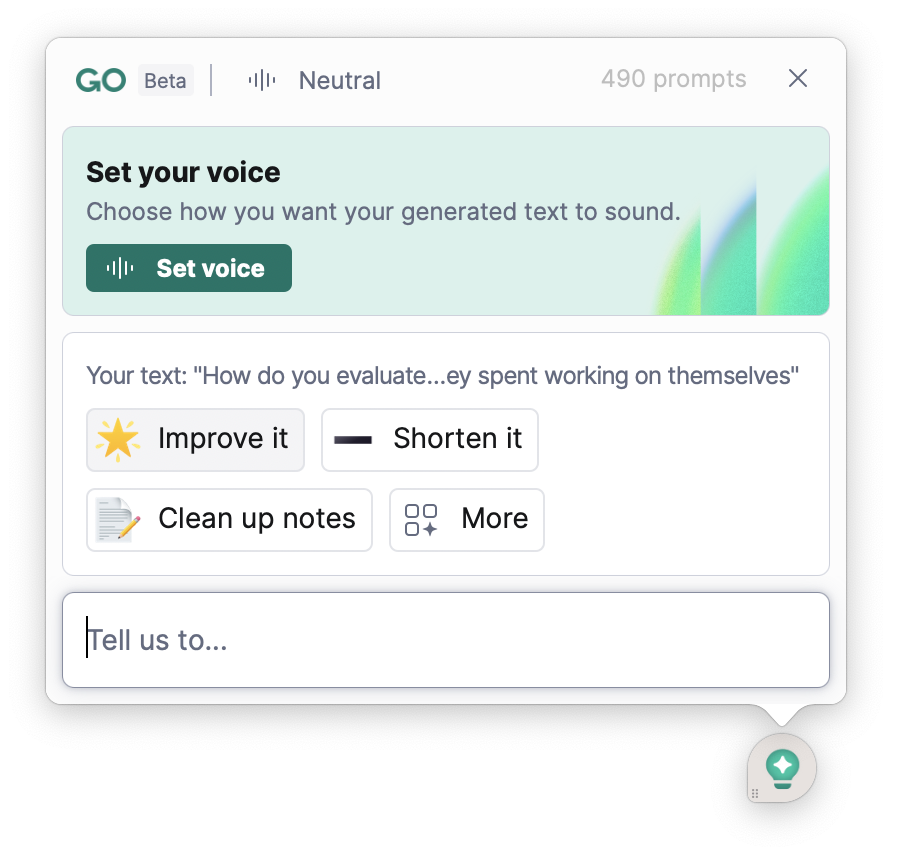
A screenshot of Grammarly Go interface

With either Notion AI or Grammarly Go, I then transform the rough transcription into something that sounds grammatically correct.

This step speeds up the cleaning of the transcription.

Review the first shitty draft

Finally, I re-read the whole text, made a few changes here and there and voilĆ . I have turned a voice note into a written text that is good enough to be published.

Why I like audio notes

At the moment, I find that "writing" by speaking is something that works well for me, especially after a long day when I'm not motivated to write. In such low-energy moments, it's just easier for me to take my phone, press record, and walk around in the flat while I speak with long pauses between words and sentences as I'm thinking. It looks weird, but it's oddly relaxing. And it's pretty cool because I'm not looking at a screen, but still get the benefits of having everything typed out properly.

Written on Friday 12th of May, 2023, by Daniele Catalanotto

The Backstage Blog

Buy nowLearn more

September 2023

  • A few mistakes and lessons learned when running webinars
  • How long does it take to edit and publish the video of a webinar?
  • How long does it take to import content in my digital brain?
  • Why I've built a landing page for my service design digital brain?
  • How I upgrade my video content with AI when I import it in my digital brain
  • How and why I'm using AI labels in my digital brain
  • 5 tools I use to organize a virtual book tour

August 2023

  • 4 ways I use notion.ai to help me run the Swiss Service Design Network

July 2023

  • Why I’m migrating my content to a knowledge base built with Intercom

June 2023

  • How long does it take to make a video Q&A?
  • How I use Descript to create new Service Design content

May 2023

  • A short review of SiteGPT
  • Ask AI: Why I'm trying to create a specialized AI in Service Design
  • Early exploration of 8 apps to create a specialized Service Design ChatGPT tool
  • How I use audio notes to write when I'm not motivated

April 2023

  • Why I asked a pro photographer to create a library of portraits
  • The newsletter has a new archive page

March 2023

  • How I "hack" podia to create my blog and help center
  • How I prepare my weekly newsletter with Notion and Podia

February 2023

  • How I used Notion AI to write a summary of a webinar
  • A first prototype for a Tiny Service Design Bible

December 2022

  • How much it costs me to create a book?
  • How I write and prepare my newsletters
  • Why I'm taking my newsletter more seriously
  • A first experiment using AI to write educational content
  • How I create and maintain my Service Design Questions and Answers Library
  • How I created a course with a small burn or little effort mindset

November 2022

  • Why I re-commited to Podia for the next few years

October 2022

  • Reflections after a 3 day book editing sprint
  • How I write in the open with a timeline of changes
  • How I manage references and sources in the books I write
  • How I onboard early reviewers for my books

September 2022

  • How writing a newsletter helps me fight my imposter syndrome
  • Tiny apps that help to write a book

August 2022

  • Book writing update
  • How much time does it take to publish a webinar?
  • What tools do I use to publish my webinars?

April 2022

  • Shadowing: How I edit a Service Design Principle

March 2022

  • How I edit my drafts to make them ready for a book
  • How I try to make automated email sequences that don't suck

January 2022

  • How I shoot my video guides
  • How I'm starting the work on a new book of the Service Design Principles Series
  • How I'm building my next free course in the open

December 2021

  • How and why I'm changing my prices
  • A big update to the website

September 2021

  • How I wrote a book, this time with a baby šŸ¼

August 2019

  • How did I prepare the marketing side for a conference

July 2019

  • How much money did I make in 7 month with online courses and books? šŸ’ø
  • A new writing routine with trains and crazy landscapes šŸ”
  • How long does it take to write the first draft of a book?

June 2019

  • Prototyping the workshop planner app ā°
  • The story behind "Why workshops work"
  • A big update to the website šŸš€

May 2019

  • How long does it take to prepare 10 articles
  • How I prepared my social media posts for the next year
  • What's in the making (May-June 2019)?
  • How much time does it take to create a workshop template?
  • How I come up with content ideas for my books

April 2019

  • What online tools do I use to build an online course?
  • How I shoot my online course videos
  • How I prototyped the videos of my first online course
  • How long does it take to make a video online course
  • Starting the behind the scenes