How I prepared my social media posts for the next year

In this article, I want to share with you how I prepared and scheduled four years of content for my social media accounts.
I’m lazy so I use a tool
I have a weird relationship with social media. I’m not a big reader or user myself. But I have had positive feedback from friends and customers when I post. People seem happy to get news via social media. So in the past month, I tried to do an effort in communication.
As I’m pretty lazy there were weeks were it worked well and weeks where I completely forgot to post and interact. I’ve tried to use tools like Buffer. But their pricing makes it impossible for me to store my four years of links, bookmarks, and content in it. I can just put a few dozen links or I have to pay much more.
So, now I’m trying another technic. This time inspired by the idea Romain Pittet shared with me. Using a tool that is specially made for creators who have huge amounts of content: meetedgar
Multiple databases
This tool has the same idea than buffer where you don’t have to choose when you schedule things. You just put your content in a queue and the app then publishes based on the schedule you have defined.
But there is a big difference with buffer. Meetedgar lets me have multiple databases.

A view of the social media scheduling tool I use
This means I can say that on Monday morning I want the app to publish something which comes from the “promotions & specials” database. Then on the next day, the app posts a definition from the dictionary I created.

A view of the schedule in the social media planning app
Finally, the other nice thing with this system of databases and schedule is that you can define “Random slots”. In these slots, the app will automatically take a piece of content randomly from pre-defined categories. This is nice to break the mechanic feeling of such scheduling tools.
What types of content did I prepare?
I created 817 unique pieces of content for my social media accounts. These pieces of content come from the following databases:
6 Behind the scenes: These are articles from this blog
11 Promotions and specials: These are pieces showing the different products I’m either selling or giving out for free
25 Quora answers: Links to answers I wrote to quora answers about Service Design, UX or innovation
159 Recommended Reads: A selection of interesting videos, articles, and tools from my bookmarks
422 Service Design definitions: definitions from the Service Design Dictionary
199 Service Design principles: articles and videos coming from the Service Design Magazine
Content variations to avoid boredom
In fact, there are more than 817 content pieces. The Meetedgar app offers a really smart feature called “Variations”.

View of the variations for one set of social media posts.
This feature lets me write variations for the same social media post. For example for a post sharing the book "What is Service Design” I have created 28 variations. This means that through the next year I will be able to speak 28 times about this book but in many different ways. One time it’s a quote, another time a pure “ad”, another time a fun fact, you get the idea.
I’ve noticed that sharing a link to a book once isn’t enough. There is only a fraction of the people who follow me that will see that link on that day. But when I post the link to a book or template a few times, every time new people discover it. But at the same time, I don’t want to kill those who read everything I post with boredom. So I tried to write special variation that should in most cases bring new information even for those who already checked the link before.
So with the content variation feature, I think I might have 1000+ content pieces ready for my social media channels.
10+ hours of preparation
In order to prepare all this content, it took me a bit more than 10 hours of work. And a lot of this work is pure manual work. Automation brings you only so far when it comes to content.
Automated importation
For the dictionary, I already had a spreadsheet with all the definitions, so this just needed some tweaking. I was able to export it as a .csv file and then import it in Meetedgar. Boom. 400+ definitions imported. That’s when automation works well 😜
Semi-automated importation
For the articles of the Service Design Magazine I didn’t have a spreadsheet. I tried to find a way to create one automatically but wasn’t able to do it. So I created a spreadsheet by hand. I copied every title and URL in a spreadsheet that I then could use as a base for Meetedgar.

A spreadsheet used to import content in the social media scheduling tool
Why did I build the spreadsheet first? Copy and pasting in a spreadsheet are just much faster than having to reload a page for every article you want to post. Especially when you have to do it 199 times 🤪
Meetedgar has another nice feature called “Auto-generate variations” that helps. Once a post is in the system you can click on that button and the tool will select quotes from the original source to creating new posts. Here again, it’s semi-automated work. Sure, the app selects for you quotes that could be interesting, but half of the time the app selects sentences which aren’t good for a social media post. So you still have to adapt things by hand.
Manual importation
Since a few years now, I use Notion as my note-taking and bookmarking app. Each time I do some research on a topic I store my conclusions and a reading list there. With the time I have a pretty big list of topics I covered.
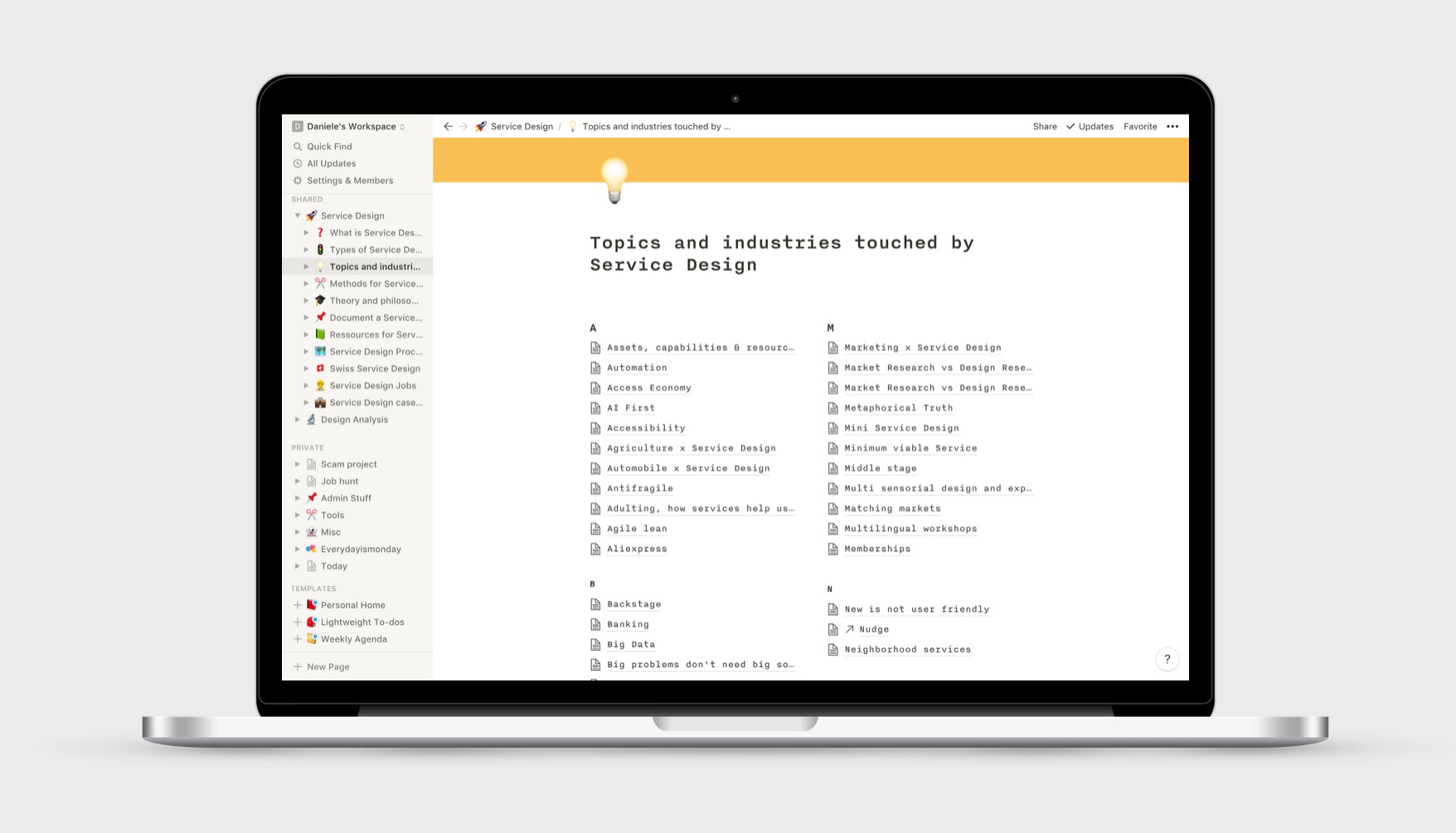
A view of the topics I have notes and bookmarks on in notion
One of the big critics I have towards my own social media usage is that often it feels more like advertising and less like a conversation. In the past, I have shared more stuff about myself than about others. So with this new plan, I decided to share more content from friends and other experts.
This meant I had to go through dozens of bookmarking pages to find links that could be interesting for my readers. This helped me find 150+ pieces of content that can be inspiring.
Work hard once and then post for pleasure
Those who know me for a while often say I have a bit of a “machine mindset”. It’s easy for me to work really hard once. So this is exactly what I did. I invested 10 hours to prepare my social media content. I would never do it as well if I had to do it every day a bit.
But I hope that by having invested a lot of energy now doing the boring work I will have more pleasure coming back to social media for real interactions like commenting what others are doing and promoting the work of others.
This is the beginning
Of course, as time goes on, I will have more stuff to my database of content. But at least I know now that there will be no weeks where I post nothing just because I’m too lazy that week 😊
— Written on May 24, 2019